Plain English in. Governed answers out.
The assistant is the network's information desk. Ask “how did revenue do last week?” and it answers from the measure catalog and the schemas it has actually read — then proposes any change for your approval before anything applies. Generally available on every tier.
Useful because the definitions underneath it are.
A chat box over raw tables gives confident answers to the wrong question. This one sits on a governed catalog — net revenue means what the CFO's dashboard means — and on schemas it has read, not imagined. That is what makes a plain-English answer something you can quote.
- Grounded in discovered schema It reads the measure catalog and the dataset schemas it has actually explored. It never fabricates a dataset or column name — a guessed name would simply fail, and the system prompt forbids guessing.
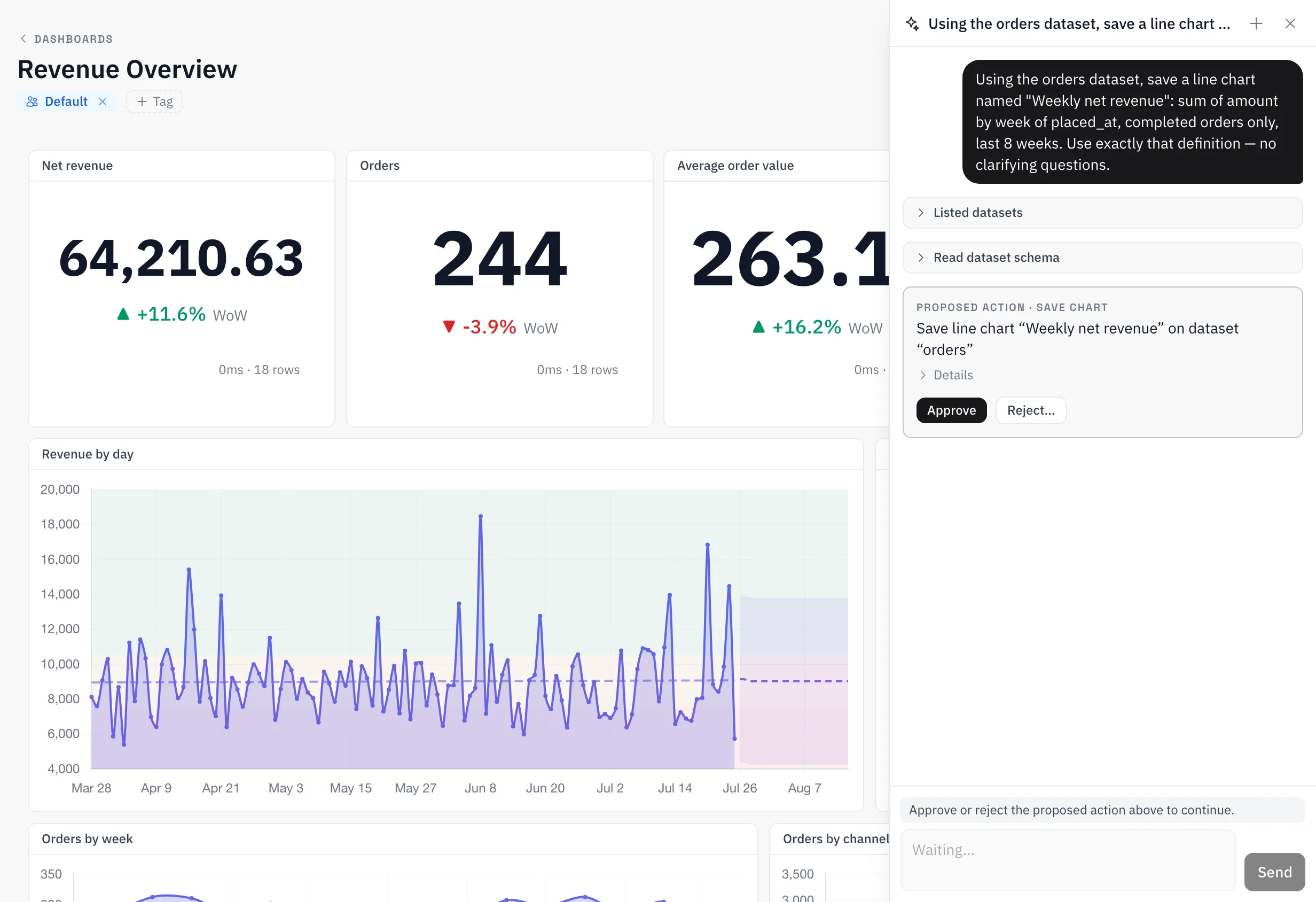
- Propose, then confirm It cannot write anything directly. A chart, a dashboard, a quality rule, a schedule, a pipeline — each arrives as a proposal card you approve or reject. Nothing applies until you say so.
- Scoped to your org It acts as you, with your permissions, inside your organization. It sees exactly the datasets, charts and rules your role allows — nothing more.
A fixed set of tools. Nothing outside it.
The assistant works through a small, named toolset — the model cannot reach anything else. Reads are read-only. Writes are proposals.
WHAT IT CAN READ
- List datasets the ones your permissions let you see
- Read a schema column names and types from the real table
- Run SQL a single SELECT over the lakehouse — never DML or DDL
- Preview a chart computed from governed measures, rendered in the reply
- Check quality status the current pass/fail state of a dataset’s rules
- List saved charts so answers can reference what already exists
WHAT IT CAN PROPOSE · YOU APPROVE
- Save a chart a chart config over governed measures
- Create a dashboard composed from saved charts
- Set quality rules validation rules on a dataset
- Schedule quality checks when those rules run
- Create a pipeline a DAG from the real task types
The engine computes. The model narrates.
One rule governs every place a model touches the product: it may say things, and it may never know things it didn't get from the engine. The numbers always land on the engine's side of that line.
- AI text cards
- A dashboard card whose numbers are engine-computed measure values. The model writes only the narrative around them — it never produces a number. See how
- AI summary pipeline task
- Writes a summary of a chart’s or dashboard’s current data as a pipeline step, from the engine’s own results, exposed to later tasks. See how
- Embeds never generate
- An embedded dashboard renders stored content. An external viewer cannot spend your tokens or change what a card says. See how
Straight answers.
The questions a careful team asks before letting a model near its data.
GENERALLY AVAILABLE · EVERY TIER · BRING YOUR OWN OPENAI KEY ON PROFESSIONAL
Is this text-to-SQL?
Partly — the assistant does write SQL, a single SELECT at a time. The difference from a text-to-SQL box is what it is allowed to know: it queries only schemas it has read through its tools and resolves business terms through the governed measure catalog, so it cannot invent a column or redefine net revenue. Numbers come from queries the engine actually ran.
Can it change or delete my data?
No. Its read tools are read-only, its SQL is restricted to SELECT, and every write it wants to make — a chart, a rule, a pipeline — is a proposal you approve first. Declining a proposal discards it with no side effects.
Which model does it use, and can I bring my own key?
OpenAI models, with gpt-5-mini as the default; an org admin can pick another from the allowed list. On Professional you can add your own OpenAI API key, which makes assistant usage unmetered.
What does it cost?
It is included on every tier with a usage allowance — metered as credits, with a hard cap on Free rather than a surprise bill. With your own key on Professional there is no metering at all.
Does it see other organizations’ data?
No. It acts as the user asking, inside that user’s organization, under the same row-level isolation as everything else. Conversations are stored with the same org scoping.
Can someone hijack it through data?
Content coming back from tools — including rows someone else loaded — is treated as material to analyze, never as instructions to follow. That rule is written into the assistant, not left to the model’s judgement.
Ask it something today.
Upload one dataset, open the assistant, and ask the question you'd otherwise write SQL for. Free tier, unlimited seats, no card.