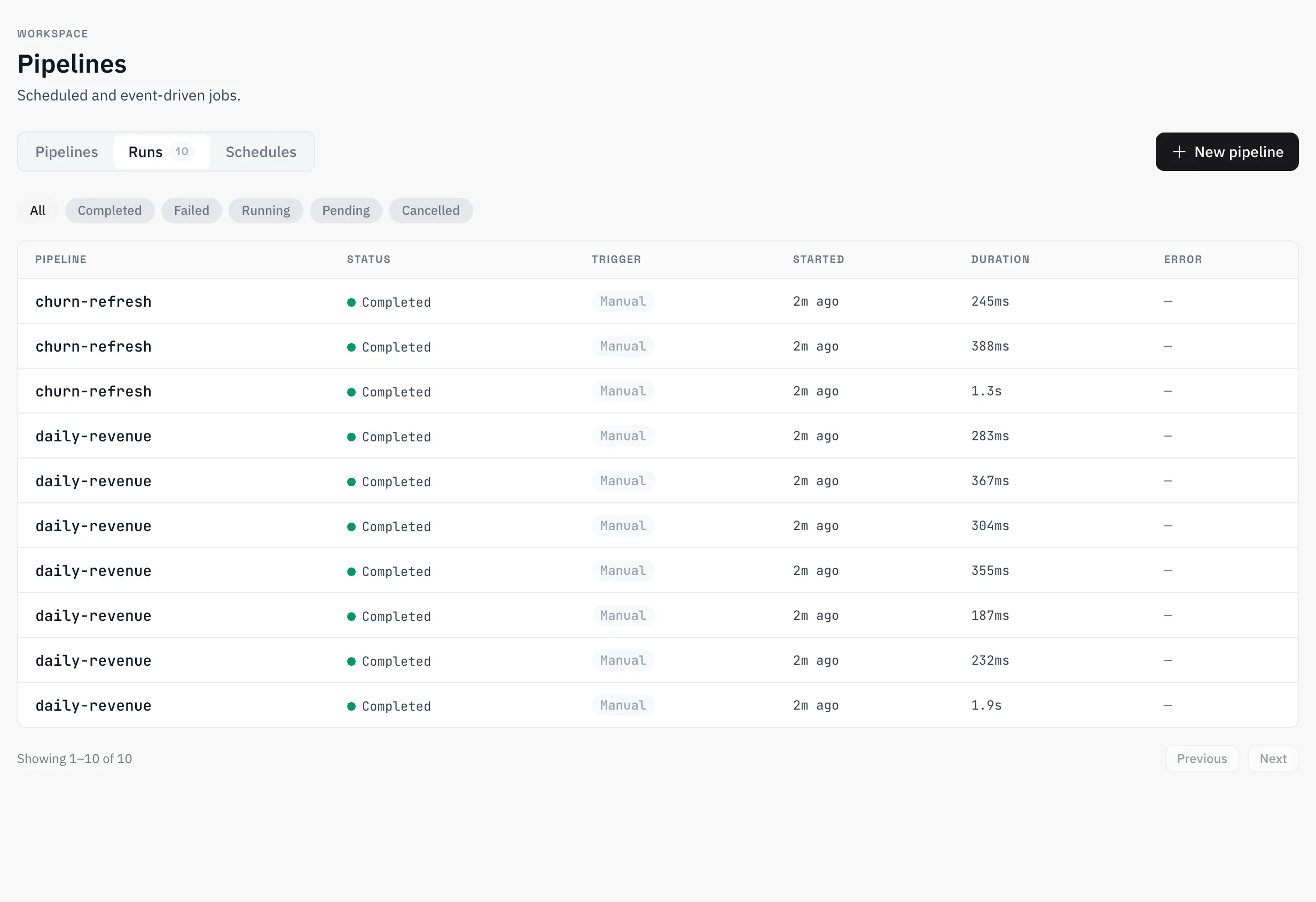
Pipelines
Build DAGs from 28 task types — transforms, quality checks, ML, notifications, outbound syncs — triggered manually, on a schedule, or by platform events.
A pipeline is a DAG of tasks: fetch or transform data, check its quality, score a model, notify a channel, push rows back out to a SaaS tool. There are 28 task types in 7 categories, wired together on a visual canvas, and each run records exactly what executed — per-task timing, logs, and outputs.
Build a DAG
Tasks are added from a palette and connected by edges. Each task type declares its own config form — the builder renders it from the type’s schema — and its output handles: most tasks branch on success / failure, a conditional branches on true / false, so error handling is part of the graph rather than an afterthought. Saving validates dataset and connector references — you need write access to every dataset a pipeline touches, because runs execute in background workers on your behalf.
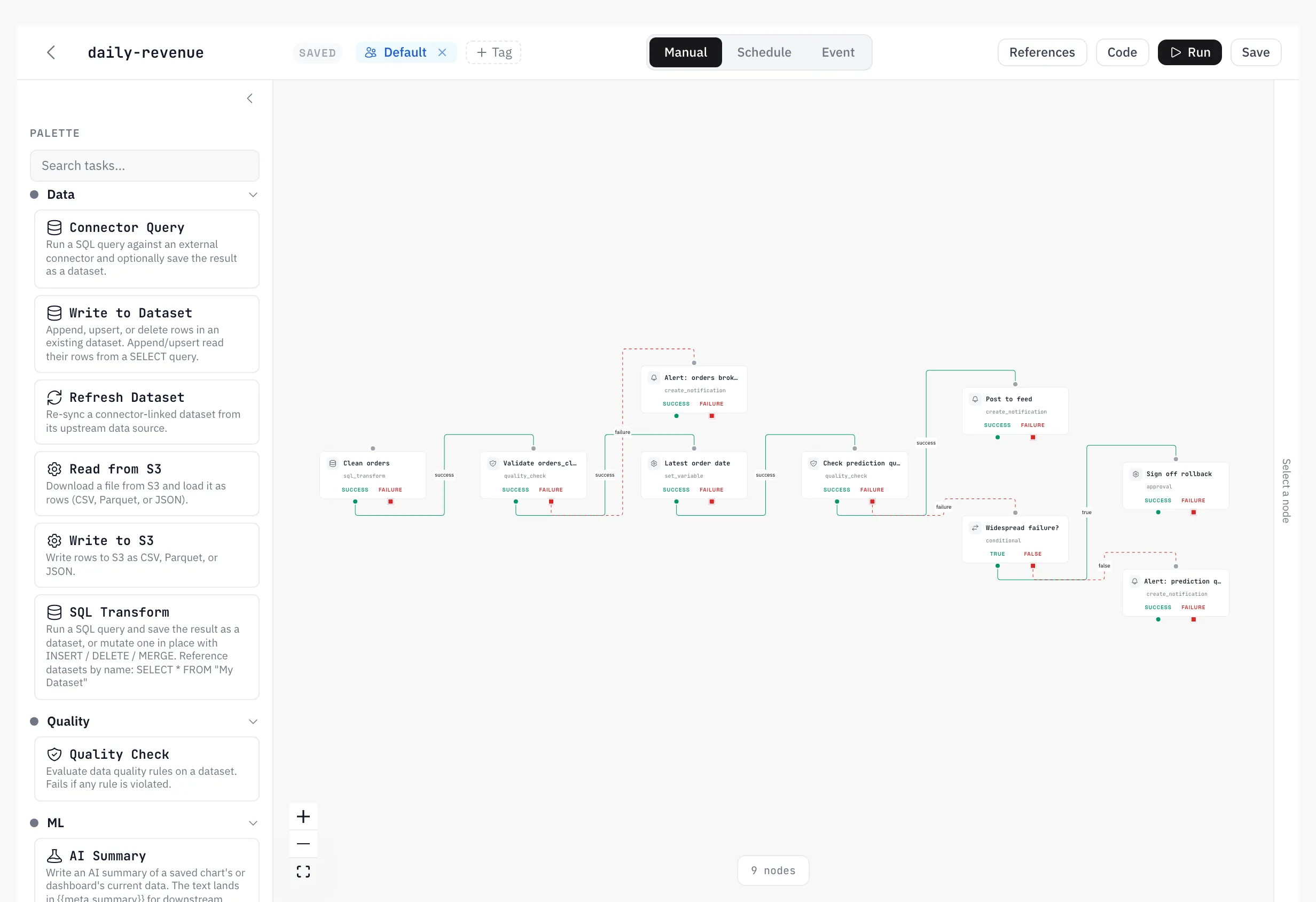
Task types
Data (6)
| Task | Does |
|---|---|
connector_query | Run SQL against an external connector, optionally saving the result as a dataset |
dataset_write | Append, upsert, or delete rows in an existing dataset |
refresh_dataset | Re-sync a connector-linked dataset from its source |
s3_read | Download a file from S3 and load it as rows (CSV, Parquet, JSON) |
s3_write | Write rows to S3 as CSV, Parquet, or JSON |
sql_transform | Run a SQL query and save the result as a dataset, or mutate one |
Quality (1)
| Task | Does |
|---|---|
quality_check | Evaluate data quality rules on a dataset; fails if any rule is violated |
ML (5)
| Task | Does |
|---|---|
ai_summary | Write an AI summary of a saved chart’s or dashboard’s current data |
drift_check | Compare a dataset against a model’s training distribution (PSI) |
rescore_model | Apply a trained model to a dataset to generate predictions |
retrain_model | Refit an existing model and save it as a new version |
run_analysis | Submit an ML analysis job and wait for results |
Notification (4)
| Task | Does |
|---|---|
create_notification | Create an in-app notification |
send_chart_slack | Post a PNG snapshot of a saved chart or dashboard to Slack |
send_email | Send an email with template rendering |
send_slack | Post a message to a Slack channel |
Logic (7)
| Task | Does |
|---|---|
approval | Pause until a human approves or rejects the step |
conditional | Branch on an expression evaluated against the input payload |
for_each | Iterate over rows or a computed list, processing each item |
run_pipeline | Trigger another pipeline, optionally waiting for it |
script | Run a Python (sandboxed) or SQL script |
set_variable | Run a SQL query and store the scalar result as a pipeline variable |
wait | Pause for a duration, or poll a URL until a condition is met |
Integration (4)
| Task | Does |
|---|---|
google_ads_conversions | Upload offline click conversions (gclid-based) to Google Ads |
google_ads_customer_match | Add or remove hashed emails/phones on a Customer Match audience |
http_request | Call an external API (with SSRF protection) |
hubspot_upsert | Create or update HubSpot contacts/companies from the incoming rows |
Output (1)
| Task | Does |
|---|---|
dataset_output | Expose the dataset a transform produced as a pipeline output |
Triggers
A pipeline runs one of three ways:
- Manual — from the builder.
- Schedule — on a recurring cadence.
- Event — a platform event fires the pipeline. A failing quality rule can trigger a remediation pipeline; a completed connector sync can trigger the transform that depends on it. Available events: dataset created, dataset refreshed, quality check passed/failed, connector sync completed/failed, pipeline completed/failed.
A pipeline’s triggers can be turned on or off without touching its definition — a disabled pipeline keeps its schedule and event wiring, dormant.
Outputs and references
Every task declares the meta keys its output carries — quality_check produces rules_failed, ai_summary produces summary, and so on — and downstream tasks reference them as {{meta.rules_failed}} in any templated field. Keys can be renamed per task in the builder, so two quality checks in one pipeline stay distinguishable. The builder’s References panel lists everything upstream tasks make available.
Template resolution order in any templated field: {{secret:name}}, then {{var.name}}, then built-ins like {{run_id}} and {{org_id}}, then payload paths like {{meta.summary}}.
Secrets and variables
Secrets are org-scoped and write-only: create one, reference it as {{secret:api_token}}, and its value can never be read back — the secrets list shows names and timestamps only. Variables are the non-secret counterpart: declared on the pipeline with defaults, referenced as {{var.start_date}}, and overridable per run in the trigger request — the same graph can process yesterday or last quarter without editing.
Runs and versions
Triggering a run returns immediately; execution happens in background workers. Each run snapshots the graph as it was at trigger time, so a later edit never rewrites what a historical run means. Per-task records carry status, timing, logs, and output meta; runs can be cancelled mid-flight, and the builder can trigger a draft run of the unsaved canvas.
Every save creates a version. The pipeline’s version history lists them with change summaries; any version can be restored as the current definition.