Log ingestion
Point any OpenTelemetry SDK at one endpoint, then search, filter, and live-tail your logs — and query them with SQL like any other dataset.
AZ-Five accepts logs over OTLP/JSON — the OpenTelemetry wire format — so any OTEL SDK works unmodified. Each service that sends logs becomes a log source with its own retention and its own queryable dataset, plus a search-and-tail explorer in the app.
Send logs
The ingest endpoint is POST /api/v1/logs, accepting an OTLP ExportLogsServiceRequest in JSON encoding. Configuration is exactly two environment variables:
export OTEL_EXPORTER_OTLP_LOGS_ENDPOINT=https://app.az-five.com/api/v1/logs
export OTEL_EXPORTER_OTLP_LOGS_HEADERS="Authorization=Bearer azfive_xxx"
The key must be a secret API key carrying the logs:write scope. Scopes are per-key: logs:write is distinct from events:write, so a key that ingests product-analytics events cannot write logs, and vice versa.
A minimal Python setup (the exporter reads the environment variables above):
import logging

from opentelemetry._logs import set_logger_provider
from opentelemetry.exporter.otlp.proto.http._log_exporter import OTLPLogExporter
from opentelemetry.sdk._logs import LoggerProvider, LoggingHandler
from opentelemetry.sdk._logs.export import BatchLogRecordProcessor

provider = LoggerProvider()
set_logger_provider(provider)
provider.add_log_record_processor(BatchLogRecordProcessor(OTLPLogExporter()))
logging.getLogger().addHandler(LoggingHandler())

logging.getLogger(__name__).error("payment failed", extra={"order_id": "o_193"})
Set OTEL_SERVICE_NAME (the standard OTEL variable) so records carry a service.name — that name is what groups logs into a source; records without one land under unknown.
Ingestion is forgiving where it should be: severity text is derived from severityNumber when a client sends only the number, and a missing or malformed timestamp falls back to receipt time instead of rejecting the record. When buffers are full the endpoint returns 429 — a spec-compliant OTLP exporter retries the whole batch, so nothing is silently dropped.
Explore
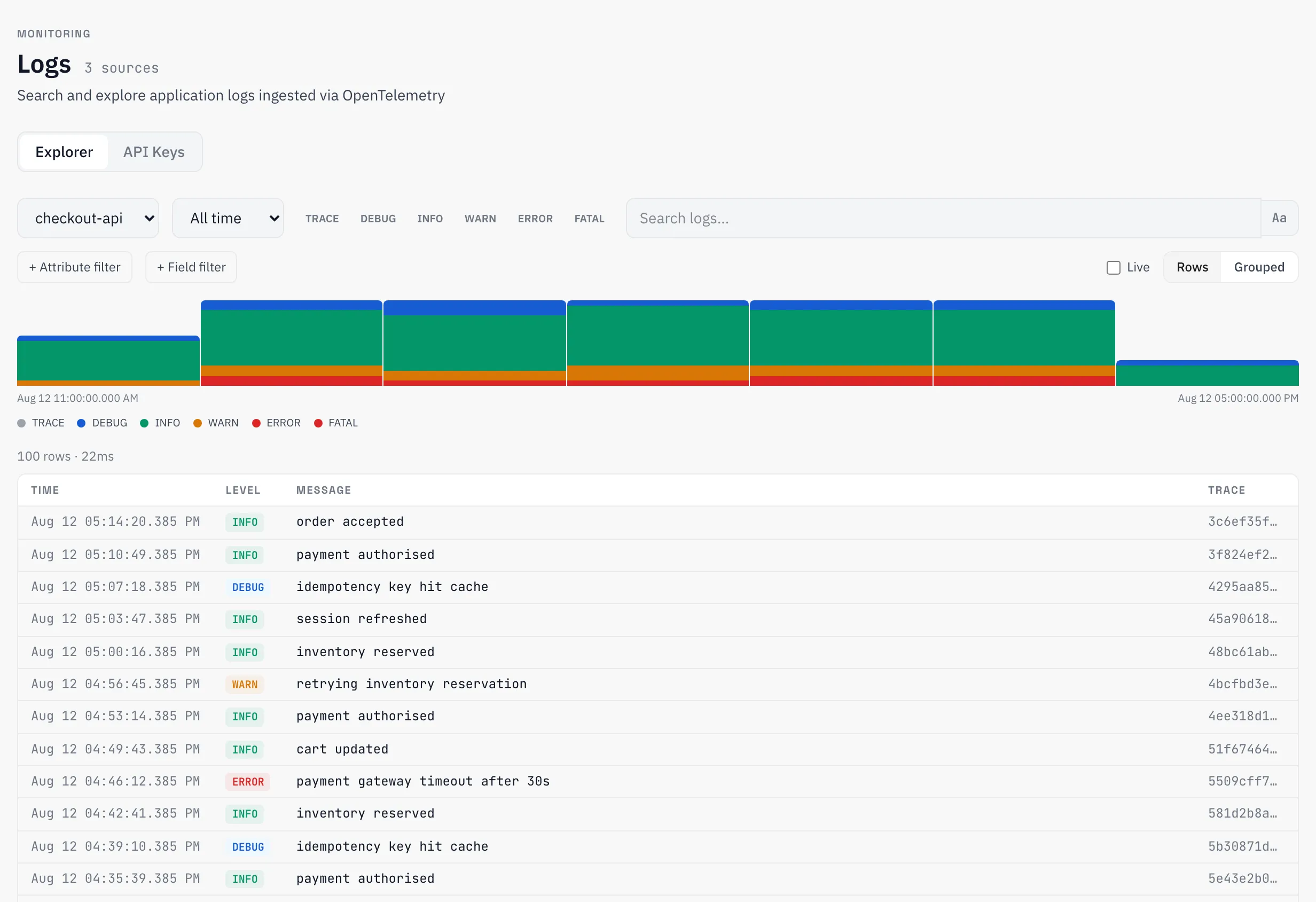
The Logs page searches one service at a time: full-text search over the body (substring or regex), severity and time-range filters, trace_id lookup, and two structured filter kinds — field filters on top-level columns and attribute filters that reach into the JSON attributes of each record with =, !=, >, <, >=, <=, contains, and not_contains. A histogram shows time-bucketed counts by severity, and a top-groups view clusters repeated messages for error grouping.
Live tail streams new records over a WebSocket the moment they arrive — no polling, consistent across replicas.
Logs as datasets
One log source exists per service per organization, created automatically on the first record — no setup step. Each source’s logs are stored as an ordinary dataset, so everything datasets can do applies: query with SQL, build charts, define measures over log columns. Rows carry the timestamp, severity, body, trace/span ids, service resource attributes, and the log’s attributes as JSON. A starter dashboard is seeded for each new source, so a first curl already has somewhere to look.
Retention
Retention is per source, default 30 days. A background job deletes rows past each source’s cutoff and vacuums the storage behind them. The effective retention is clamped to your plan’s maximum — raising a source’s setting above what the plan allows has no effect until the plan does.
Reference
Ingest
| Endpoint | POST /api/v1/logs — OTLP ExportLogsServiceRequest, JSON encoding |
| Auth | Authorization: Bearer azfive_xxx — secret key with the logs:write scope |
| Batch cap | 10,000 resourceLogs groups per request |
| Backpressure | 429 — retry the batch |
| Metering | Log volume is metered by request payload size |
Severity mapping
Used when a record has severityNumber but no severityText:
severityNumber | Text |
|---|---|
| 1–4 | TRACE |
| 5–8 | DEBUG |
| 9–12 | INFO |
| 13–16 | WARN |
| 17–20 | ERROR |
| 21–24 | FATAL |
Ingestion is the only programmatic surface; search, filters, and live tail are features of the Logs page in the app.