Datasets
Upload files or sync sources into managed Delta Lake storage, query them with SQL, edit rows with typed DML, and restore any previous version.
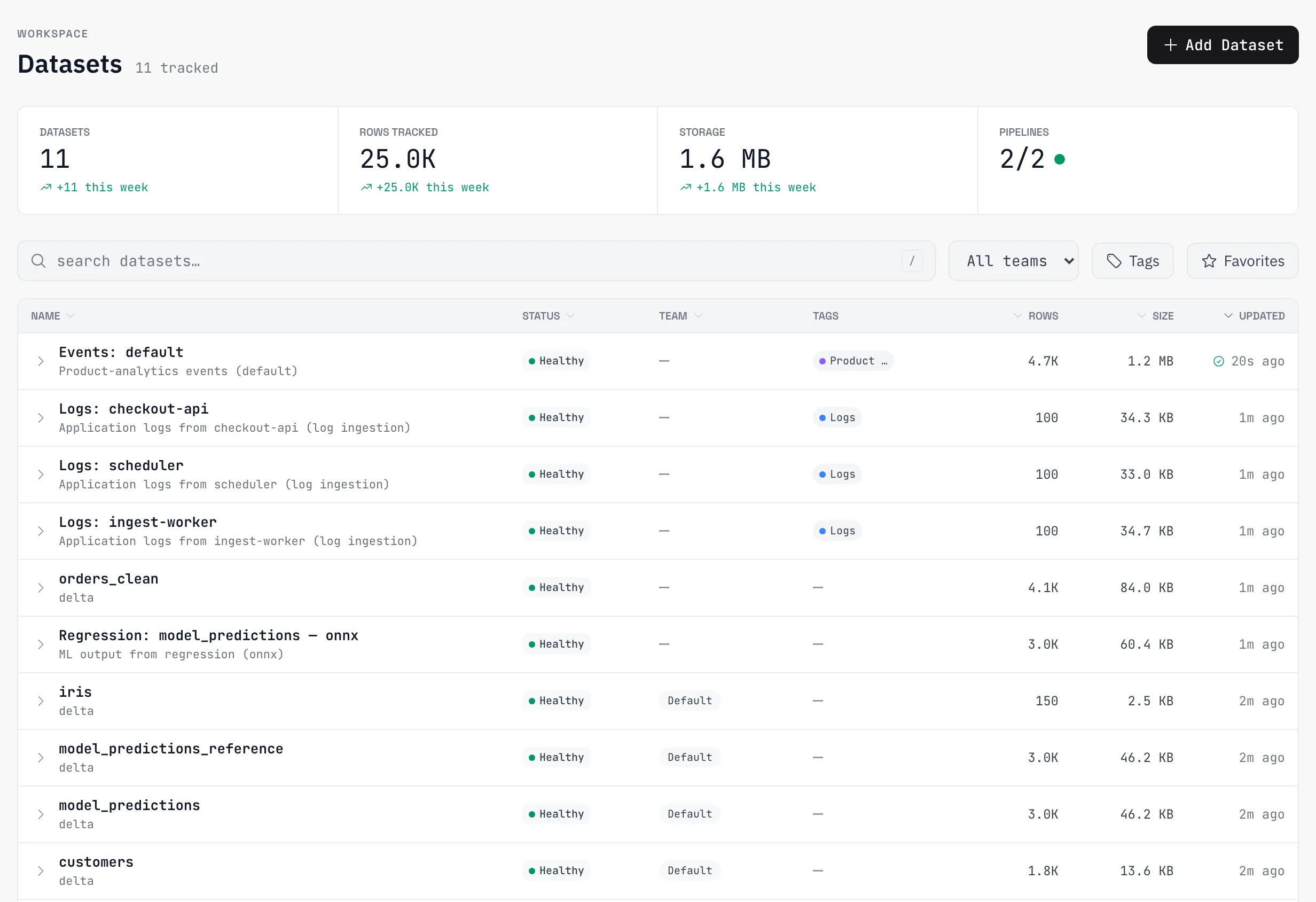
A dataset is the unit everything else in AZ-Five works on. Upload a file, import from a connector, save a query’s result, or point an event or log stream at the platform — each lands as a dataset in managed Delta Lake storage: an open, versioned columnar format, so every change is a recorded version and any version can be restored or exported.
Upload a file
Datasets accept three file formats: CSV, Parquet, and JSON. Upload from the Datasets page in the app.
Upload is asynchronous: the file is staged to object storage and processed by a worker. The dataset appears in the grid right away and flips to ready when processing lands — schema inferred, profile computed, preview available. Storage quota is checked before the file streams, so an over-quota upload fails fast rather than after the transfer.
Query with SQL
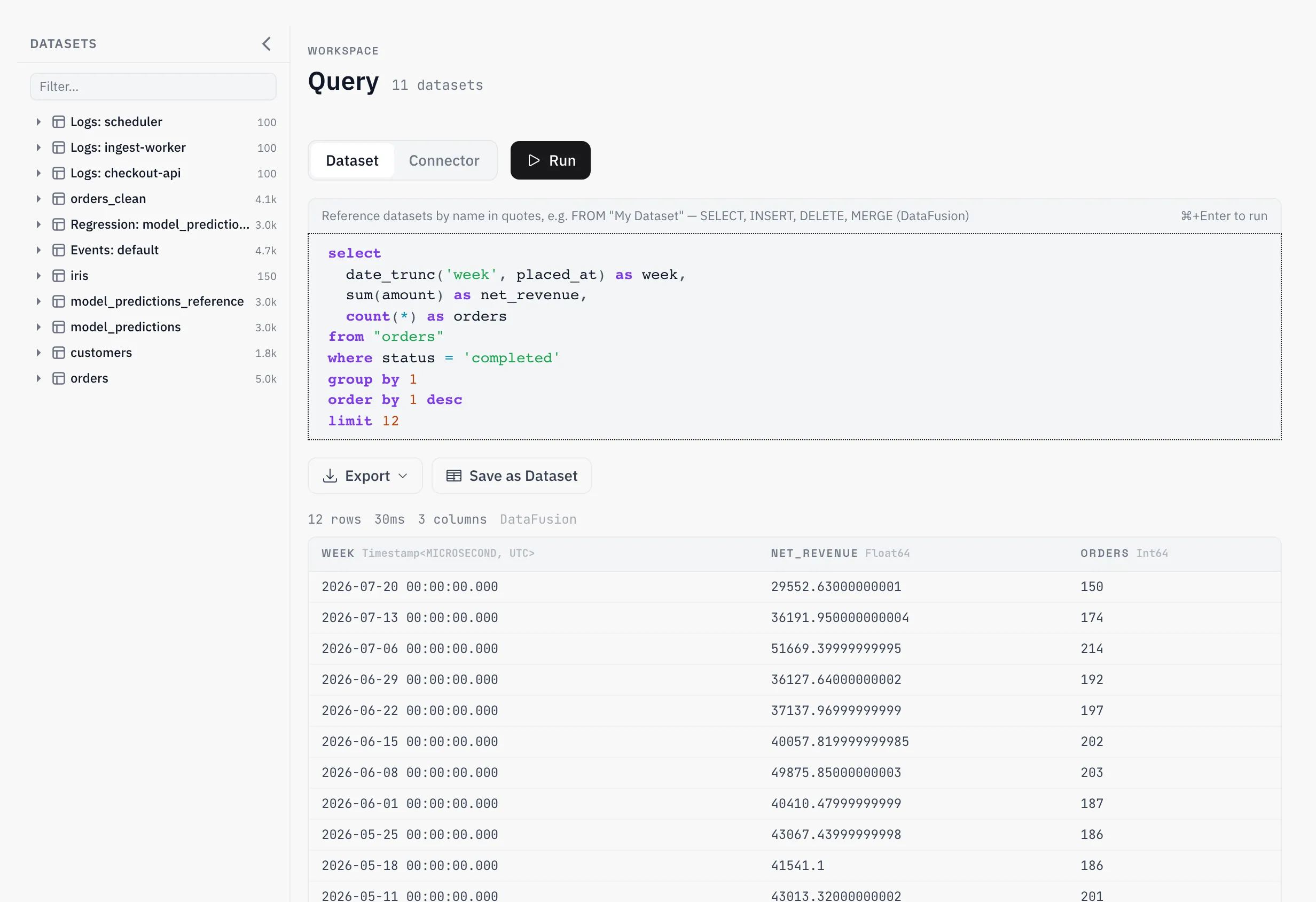
Every dataset is queryable with SQL in the app’s SQL editor. Reference the table as dataset:
SELECT customer_id, SUM(amount) AS revenue
FROM dataset
WHERE status = 'completed'
GROUP BY customer_id
ORDER BY revenue DESC
Reads are SELECT-only — exactly one statement, SELECT or UNION; anything else is rejected before it reaches the engine. Multi-dataset joins are supported too: each dataset gets a name you reference in the SQL.
Interactive results are capped at 10,000 rows, and a truncated result is flagged as such — always check the flag, because summing a silently truncated result gives wrong numbers. Need more than 10k rows? Use the async export, which runs the query in the background and produces a downloadable file with no row cap.
Edit rows with SQL
Datasets are not read-only. The SQL editor accepts three DML forms:
INSERT INTO dataset SELECT * FROM staging_rows;
DELETE FROM dataset WHERE status = 'cancelled';
MERGE INTO dataset USING updates ON dataset.id = updates.id
  WHEN MATCHED THEN UPDATE SET amount = updates.amount
  WHEN NOT MATCHED THEN INSERT *;
The statement is parsed into a typed operation — insert, upsert, or delete — never executed as raw SQL. The write half runs as a native Delta operation; any SELECT source inside it goes through the normal read path with all its guards. Every mutation reports what happened: the rows inserted, updated, and deleted, and the new dataset version.
Versions, history, restore
Every write — upload, append, transform, mutation — produces a new dataset version. The dataset’s History view lists them with what changed, and restoring brings any previous version back as the current one. Mistakes are undoable by design: a bad DELETE is one restore away.
Version numbers also drive caching — previews and query results are cached per version, so repeated reads of an unchanged dataset are fast, and any write invalidates by construction.
Keep data fresh
A dataset from a connector can refresh on a schedule or stay live. Scheduled refresh re-syncs on a cron cadence and bumps the version. Live mode re-syncs on read (with a short cooldown) and is never cached — every query sees the source’s current state. Watermark-based connectors sync incrementally; resetting the watermark from the dataset’s sync settings forces the next sync to start over.
Reference
Upload
| Formats | .csv, .parquet, .json |
| Behavior | Processing is asynchronous — the dataset appears immediately and flips to ready |
| Storage | Managed Delta Lake — open format, versioned, exportable |
Query limits
| Limit | Value |
|---|---|
| Interactive result cap | 10,000 rows, flagged as truncated when hit |
| Larger results | Async export (no row cap) |
| Statements per query | Exactly one; SELECT/UNION only on read paths |
| Mutation SQL length | 50,000 characters |
Programmatic ingestion — events and logs — authenticates with API keys; see Product analytics and Log ingestion.